CakePHP5入門【WebAPI編⑨】統計情報を取得②

C菜
あ、共通部分につきましては、一つのprivateメソッドにまとめたいと思います~

A子
だったら、六つのpublicメソッドについてはシンプルに書けるね
呼び出すprivateメソッドを「make_json2」とするなら、こんな感じかな
|
private function make_json2($type, $num4, $ymd)
{ ・・・ } |
ちなみに、引数は三つだよ
| 引数順番 | 仮引数名 | 説明 |
|---|---|---|
| 第一 | $type | 1…曜日(七曜)ごと, 2…六曜ごと, 3…七曜と六曜の組み合わせ |
| 第二 | $num4 | false…ナンバーズ3, true…ナンバーズ4 |
| 第三 | $ymd | 年-月-日 |
C菜
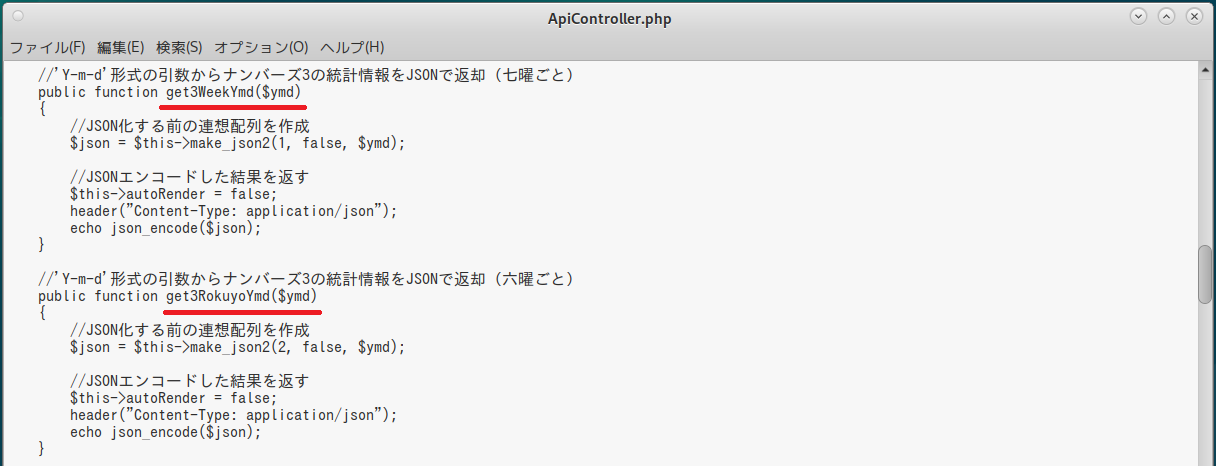
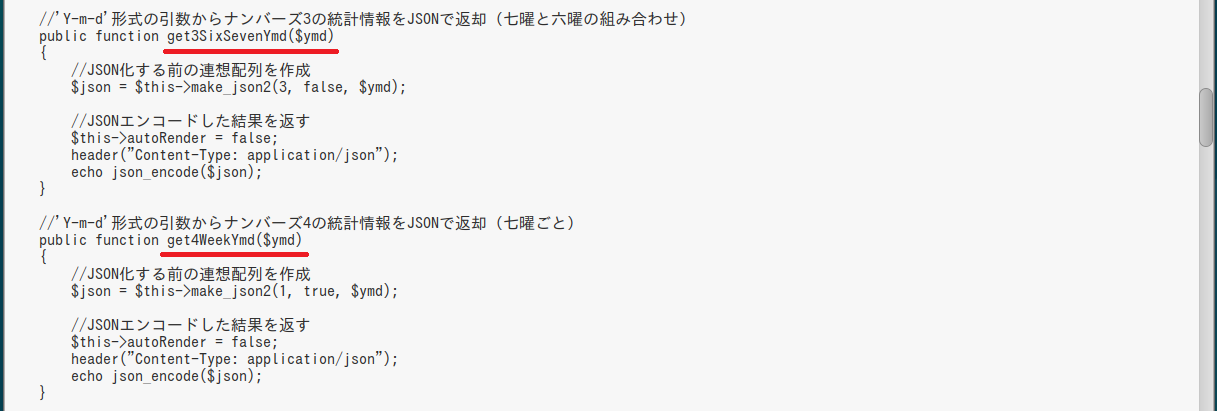
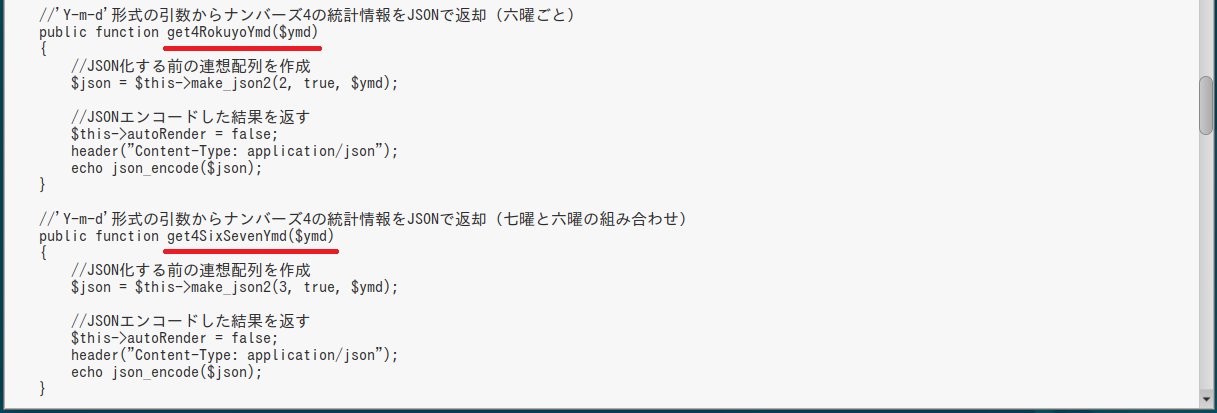
それでは、六つのpublicメソッドについてはこんな感じで~
|
//'Y-m-d'形式の引数からナンバーズ3の統計情報をJSONで返却(七曜ごと)
public function get3WeekYmd($ymd) { //JSON化する前の連想配列を作成 $json = $this->make_json2(1, false, $ymd); //JSONエンコードした結果を返す $this->autoRender = false; header("Content-Type: application/json"); echo json_encode($json); } //'Y-m-d'形式の引数からナンバーズ3の統計情報をJSONで返却(六曜ごと) public function get3RokuyoYmd($ymd) { //JSON化する前の連想配列を作成 $json = $this->make_json2(2, false, $ymd); //JSONエンコードした結果を返す $this->autoRender = false; header("Content-Type: application/json"); echo json_encode($json); } //'Y-m-d'形式の引数からナンバーズ3の統計情報をJSONで返却(七曜と六曜の組み合わせ) public function get3SixSevenYmd($ymd) { //JSON化する前の連想配列を作成 $json = $this->make_json2(3, false, $ymd); //JSONエンコードした結果を返す $this->autoRender = false; header("Content-Type: application/json"); echo json_encode($json); } //'Y-m-d'形式の引数からナンバーズ4の統計情報をJSONで返却(七曜ごと) public function get4WeekYmd($ymd) { //JSON化する前の連想配列を作成 $json = $this->make_json2(1, true, $ymd); //JSONエンコードした結果を返す $this->autoRender = false; header("Content-Type: application/json"); echo json_encode($json); } //'Y-m-d'形式の引数からナンバーズ4の統計情報をJSONで返却(六曜ごと) public function get4RokuyoYmd($ymd) { //JSON化する前の連想配列を作成 $json = $this->make_json2(2, true, $ymd); //JSONエンコードした結果を返す $this->autoRender = false; header("Content-Type: application/json"); echo json_encode($json); } //'Y-m-d'形式の引数からナンバーズ4の統計情報をJSONで返却(七曜と六曜の組み合わせ) public function get4SixSevenYmd($ymd) { //JSON化する前の連想配列を作成 $json = $this->make_json2(3, true, $ymd); //JSONエンコードした結果を返す $this->autoRender = false; header("Content-Type: application/json"); echo json_encode($json); } |

B美
さて、問題は中核たる「make_json2」メソッドね
C菜
A子
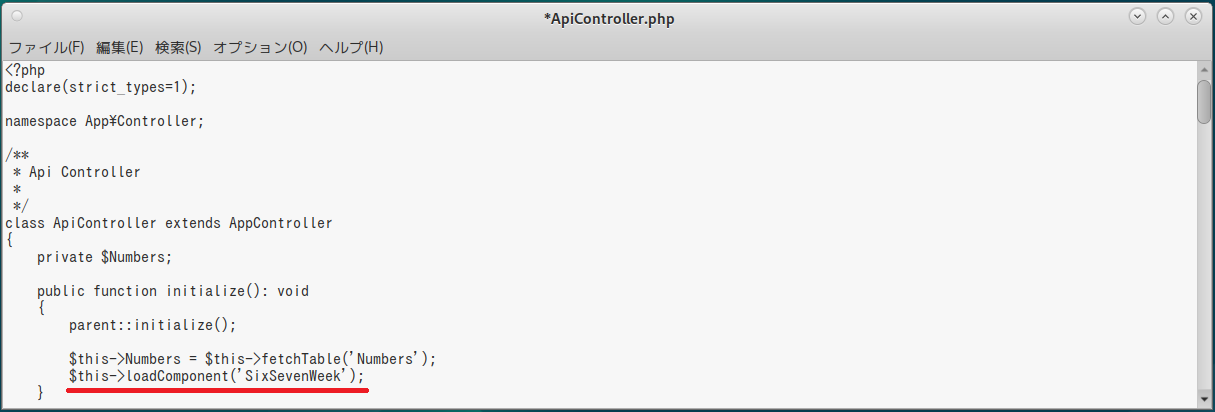
そういえば、管理ページ(AdminController)で使ったコンポーネント(SixSevenWeekComponent)があったじゃん
あれを使おう!
C菜
| $this->loadComponent('SixSevenWeek'); |
それと「getSeven」メソッドでは「年」「月」「日」の三つの引数を渡さなければなりませんから、'Y-m-d'を分解しなきゃです~
A子
| list($year, $month, $day) = explode('-', $ymd); |
簡単だね
B美
三つの変数($year, $month, $day)に格納される値は「文字列」型になるわよ
そのままでは「getSeven」メソッドには渡せないから注意してね
C菜
|
list($year, $month, $day) = explode('-', $ymd);
$y = intval($year); $m = intval($month); $d = intval($day); $seven = $this->SixSevenWeek::getSeven($y, $m, $d); $six = $this->SixSevenWeek::getSix($ymd); |
これでどうでしょうか~?
B美
A子
|
$error_flag = false;
if ($seven['week_int'] == 0 || $seven['week_int'] == 6) { //土日は処理対象外 $error_flag = true; } else { ・・・(平日の処理) } if ($error_flag) { //ステータス(平日の場合はエラー) $status = [ 'code' => 500, 'message' => 'Not a Weekday' ]; $result = null; } else { //ステータス(成功) ・・・(成功時の連想配列を作成) } |
C菜
前回に考えたSQL文を生かすために、コネクションマネージャーを使って直接SQL文を実行しましょう~
| use Cake\Datasource\ConnectionManager; |
を先頭に記述してから
|
$connection = ConnectionManager::get('default');
$sql =<<<EOF select (対象フィールド名),count(*) as cnt from numbers where (検索条件) group by (対象フィールド名) order by (対象フィールド名); EOF; $result = $connection->execute($sql)->fetchAll('assoc'); |
という形で集計するのはどうでしょうか~?
A子
だったら…
|
//三つのタイプの振り分け(データベース検索条件)
switch ($type) { case 1:$where = "lottery_week_int={$seven['week_int']}"; break; case 2:$where = "lottery_rokuyo_int={$six['rokuyo_int']}"; break; case 3:$where = "lottery_week_int={$seven['week_int']} and lottery_rokuyo_int={$six['rokuyo_int']}"; break; } //集計対象項目 if (!$num4) { //ナンバーズ3 $field1 = 'num3_place1'; $field10 = 'num3_place10'; $field100 = 'num3_place100'; } else { //ナンバーズ4 $field1 = 'num4_place1'; $field10 = 'num4_place10'; $field100 = 'num4_place100'; } |
こんな感じでどう?
C菜
|
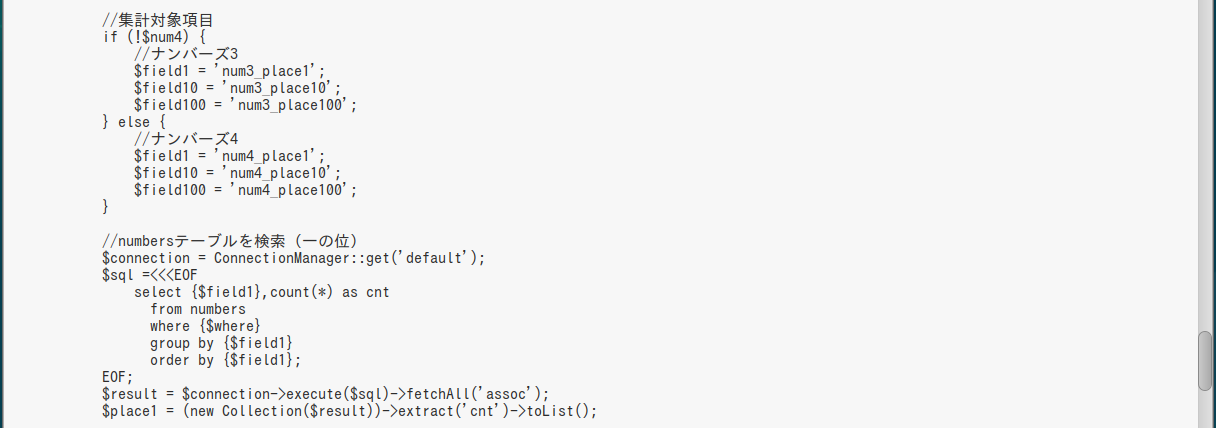
//numbersテーブルを検索(一の位)
$connection = ConnectionManager::get('default'); $sql =<<<EOF select {$field1},count(*) as cnt from numbers where {$where} group by {$field1} order by {$field1}; EOF; $result = $connection->execute($sql)->fetchAll('assoc'); |
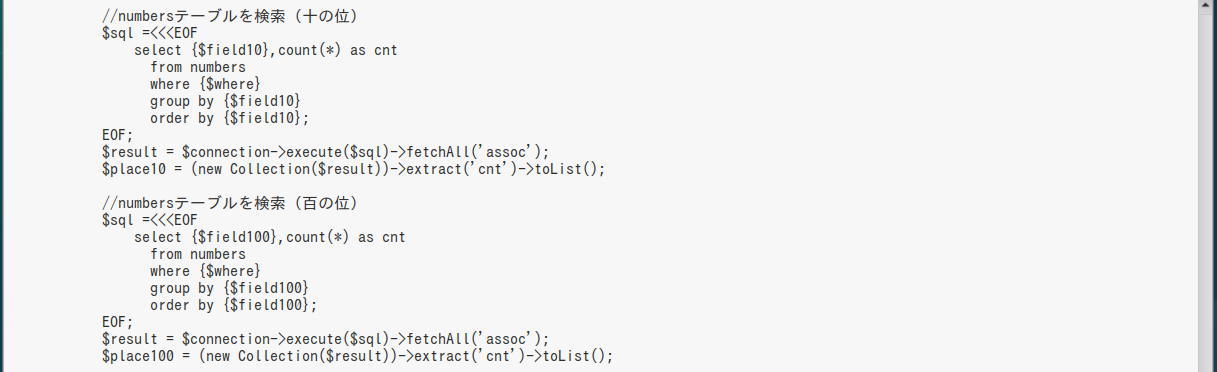
「十の位」「百の位」「千の位」も同様に記述するわけです~
(「$field1」の箇所が「$field10」や「$field100」に変わるだけですね~)
A子
B美
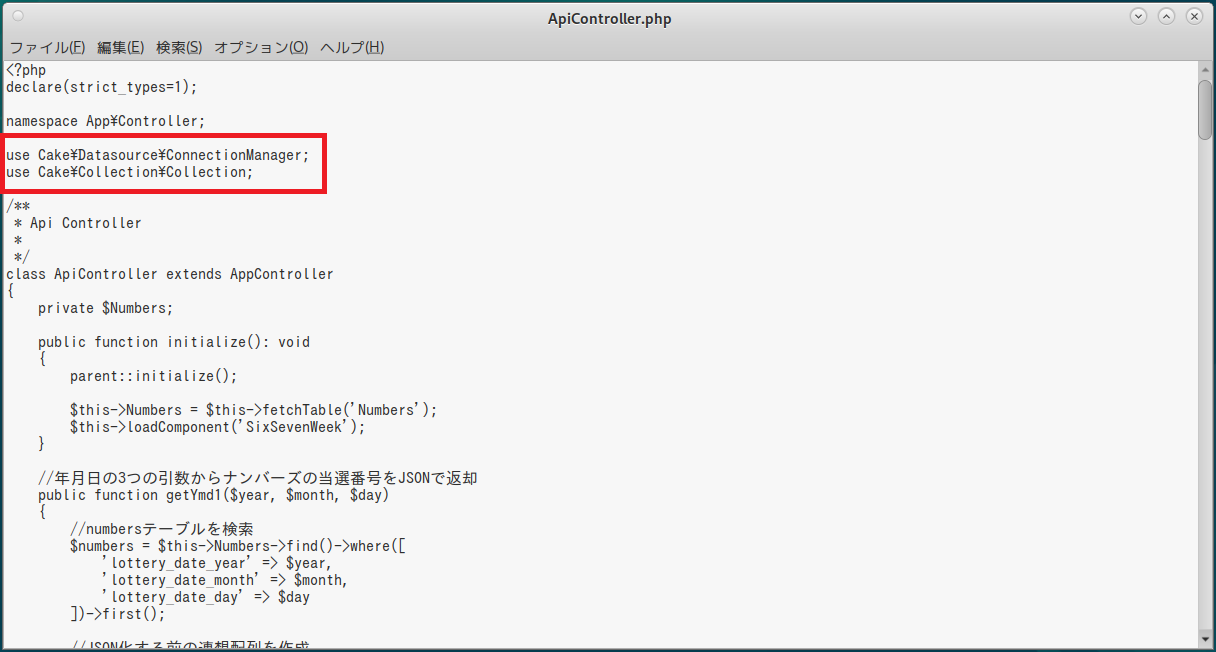
まずはuse文を記述します
| use Cake\Collection\Collection; |
んで、データベースアクセスの結果を次のように渡せば、結果として一次元配列を取得できるのよ
| $place1 = (new Collection($result))->extract('cnt')->toList(); |
「extract」メソッドで「cnt」列だけを取り出して、「toList」メソッドで配列化…ってわけ
(「$place1」は「cnt」列の値を格納した一次元配列になるの)
C菜
|
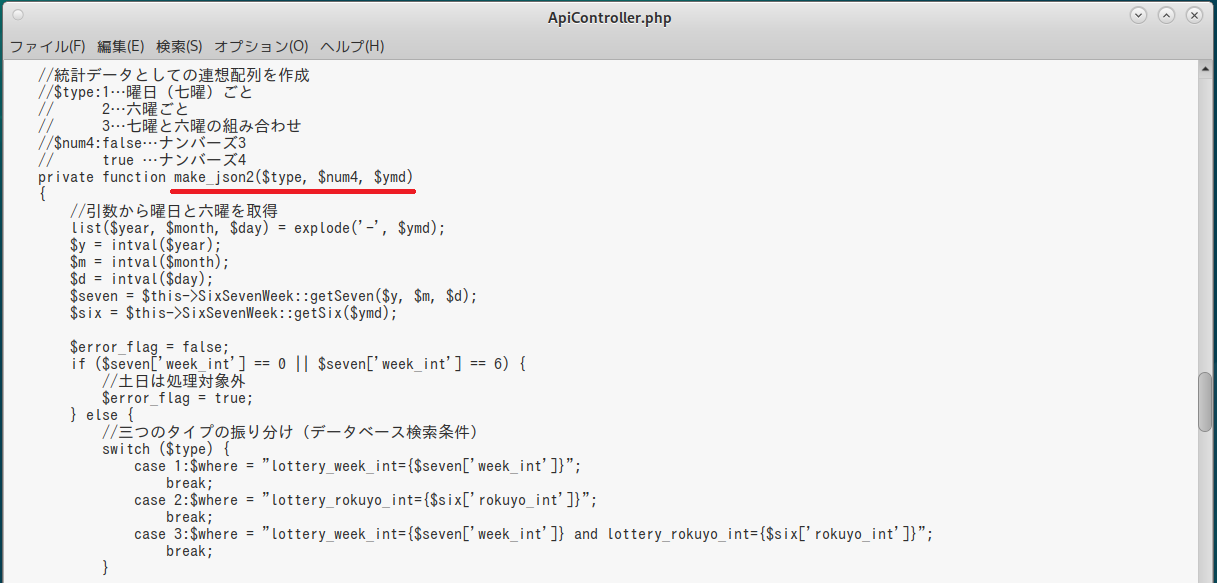
private function make_json2($type, $num4, $ymd)
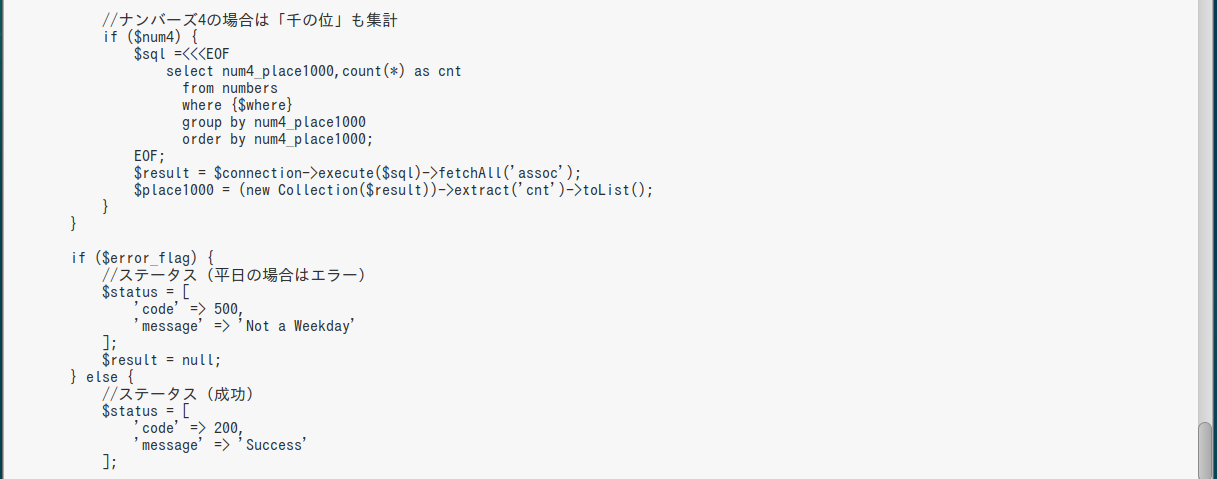
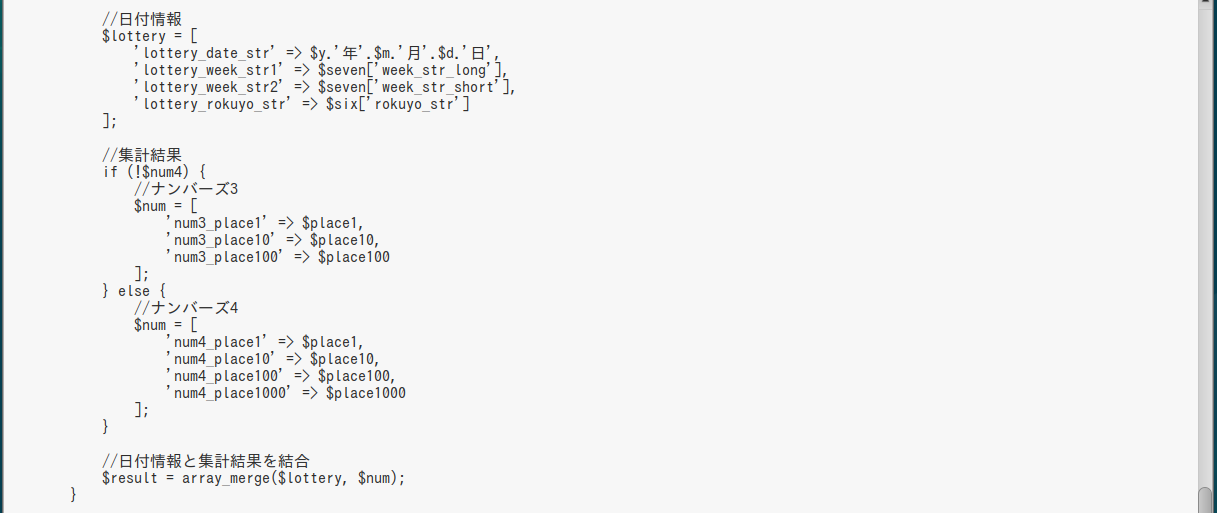
{ //引数から曜日と六曜を取得 list($year, $month, $day) = explode('-', $ymd); $y = intval($year); $m = intval($month); $d = intval($day); $seven = $this->SixSevenWeek::getSeven($y, $m, $d); $six = $this->SixSevenWeek::getSix($ymd); $error_flag = false; if ($seven['week_int'] == 0 || $seven['week_int'] == 6) { //土日は処理対象外 $error_flag = true; } else { //三つのタイプの振り分け(データベース検索条件) switch ($type) { case 1:$where = "lottery_week_int={$seven['week_int']}"; break; case 2:$where = "lottery_rokuyo_int={$six['rokuyo_int']}"; break; case 3:$where = "lottery_week_int={$seven['week_int']} and lottery_rokuyo_int={$six['rokuyo_int']}"; break; } //集計対象項目 if (!$num4) { //ナンバーズ3 $field1 = 'num3_place1'; $field10 = 'num3_place10'; $field100 = 'num3_place100'; } else { //ナンバーズ4 $field1 = 'num4_place1'; $field10 = 'num4_place10'; $field100 = 'num4_place100'; } //numbersテーブルを検索(一の位) $connection = ConnectionManager::get('default'); $sql =<<<EOF select {$field1},count(*) as cnt from numbers where {$where} group by {$field1} order by {$field1}; EOF; $result = $connection->execute($sql)->fetchAll('assoc'); $place1 = (new Collection($result))->extract('cnt')->toList(); //numbersテーブルを検索(十の位) $sql =<<<EOF select {$field10},count(*) as cnt from numbers where {$where} group by {$field10} order by {$field10}; EOF; $result = $connection->execute($sql)->fetchAll('assoc'); $place10 = (new Collection($result))->extract('cnt')->toList(); //numbersテーブルを検索(百の位) $sql =<<<EOF select {$field100},count(*) as cnt from numbers where {$where} group by {$field100} order by {$field100}; EOF; $result = $connection->execute($sql)->fetchAll('assoc'); $place100 = (new Collection($result))->extract('cnt')->toList(); //ナンバーズ4の場合は「千の位」も集計 if ($num4) { $sql =<<<EOF select num4_place1000,count(*) as cnt from numbers where {$where} group by num4_place1000 order by num4_place1000; EOF; $result = $connection->execute($sql)->fetchAll('assoc'); $place1000 = (new Collection($result))->extract('cnt')->toList(); } } if ($error_flag) { //ステータス(平日の場合はエラー) $status = [ 'code' => 500, 'message' => 'Not a Weekday' ]; $result = null; } else { //ステータス(成功) $status = [ 'code' => 200, 'message' => 'Success' ]; //日付情報 $lottery = [ 'lottery_date_str' => $y.'年'.$m.'月'.$d.'日', 'lottery_week_str1' => $seven['week_str_long'], 'lottery_week_str2' => $seven['week_str_short'], 'lottery_rokuyo_str' => $six['rokuyo_str'] ]; //集計結果 if (!$num4) { //ナンバーズ3 $num = [ 'num3_place1' => $place1, 'num3_place10' => $place10, 'num3_place100' => $place100 ]; } else { //ナンバーズ4 $num = [ 'num4_place1' => $place1, 'num4_place10' => $place10, 'num4_place100' => $place100, 'num4_place1000' => $place1000 ]; } //日付情報と集計結果を結合 $result = array_merge($lottery, $num); } //JSON化する前の連想配列(最終形態) $json = [ 'status' => $status, 'result' => $result ]; return $json; } |

B美
よくまとまっているわ
A子
まずはブラウザから直接アクセスしてみるね
| http://192.168.1.205/numapp/api/get3SixSevenYmd/2026-03-31 |
ナンバーズ3で「曜日(七曜)」と「六曜」の組み合わせによる集計結果だよ

C菜
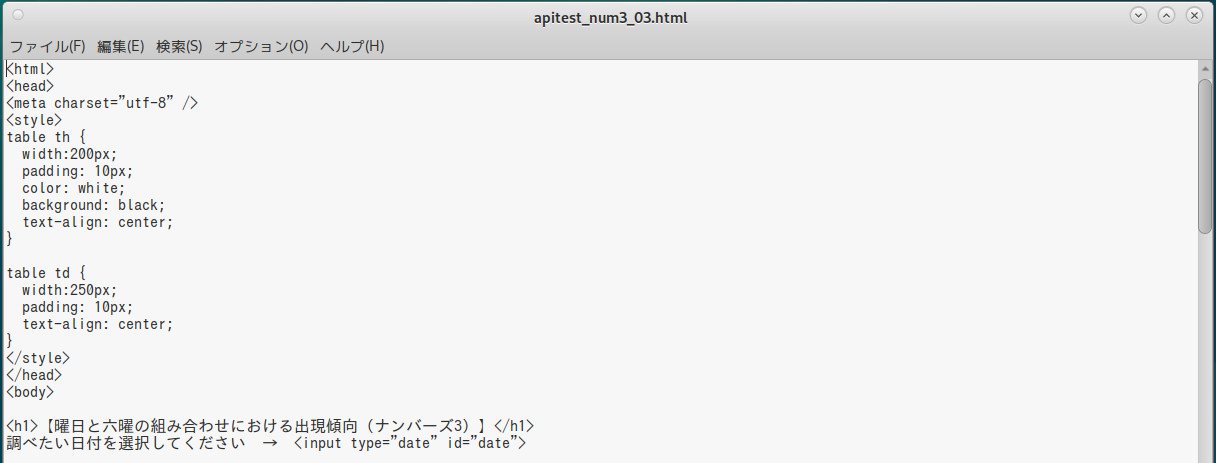
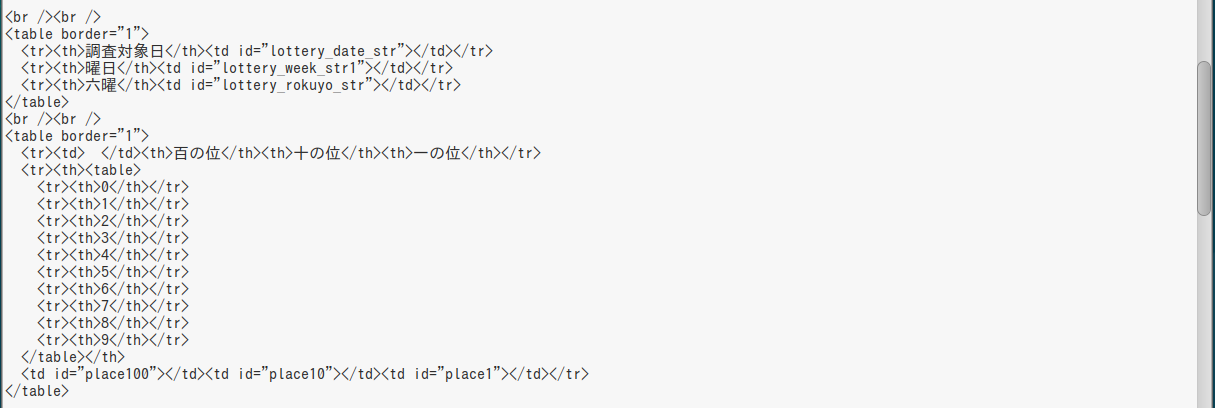
それではHTMLファイルを記述してみますね~
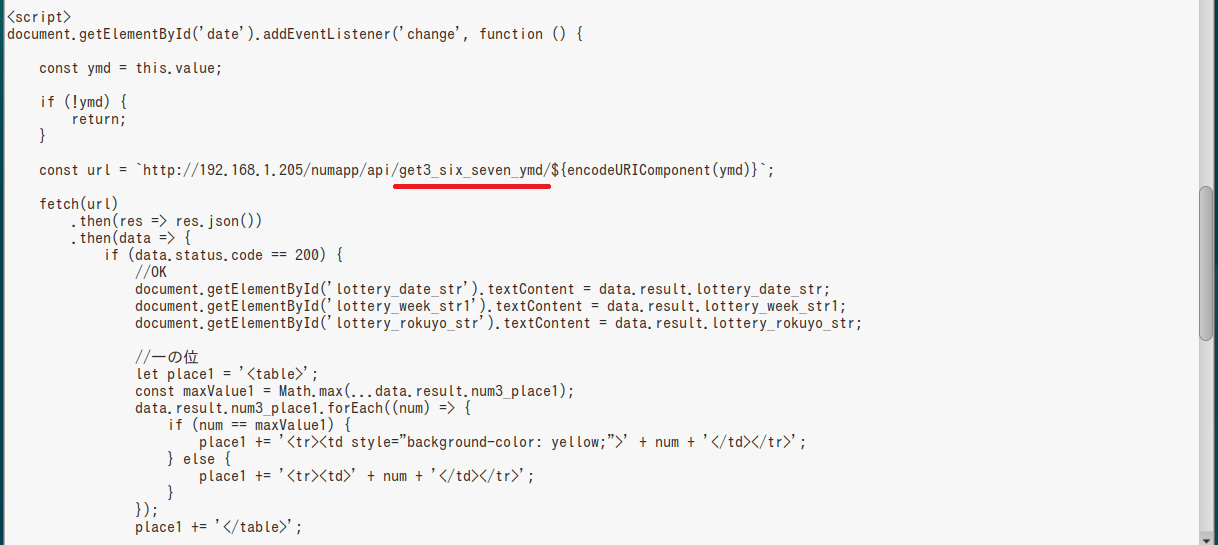
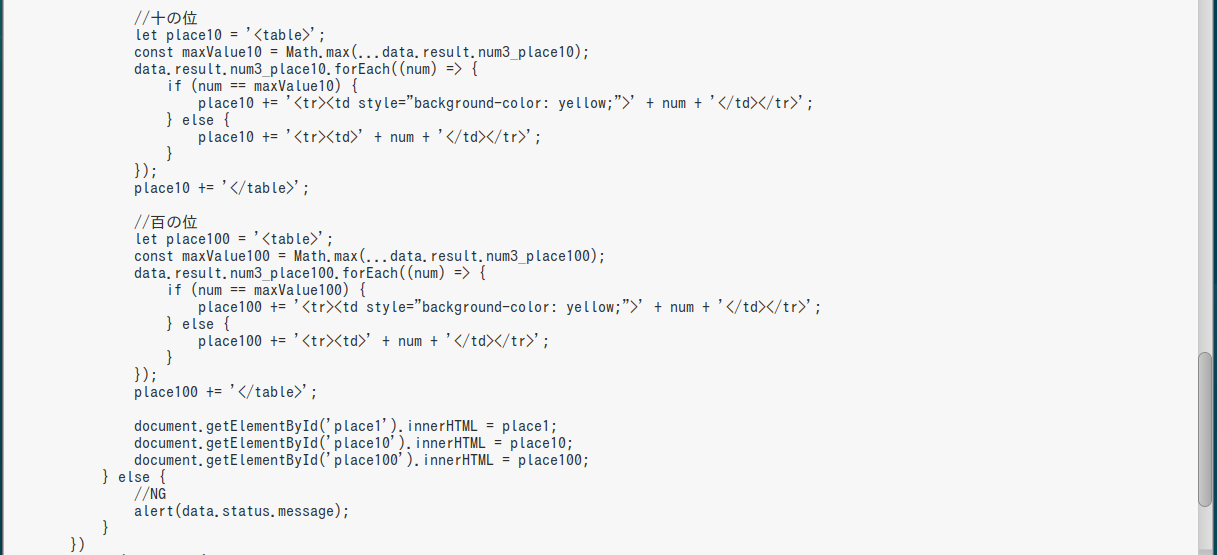

↓
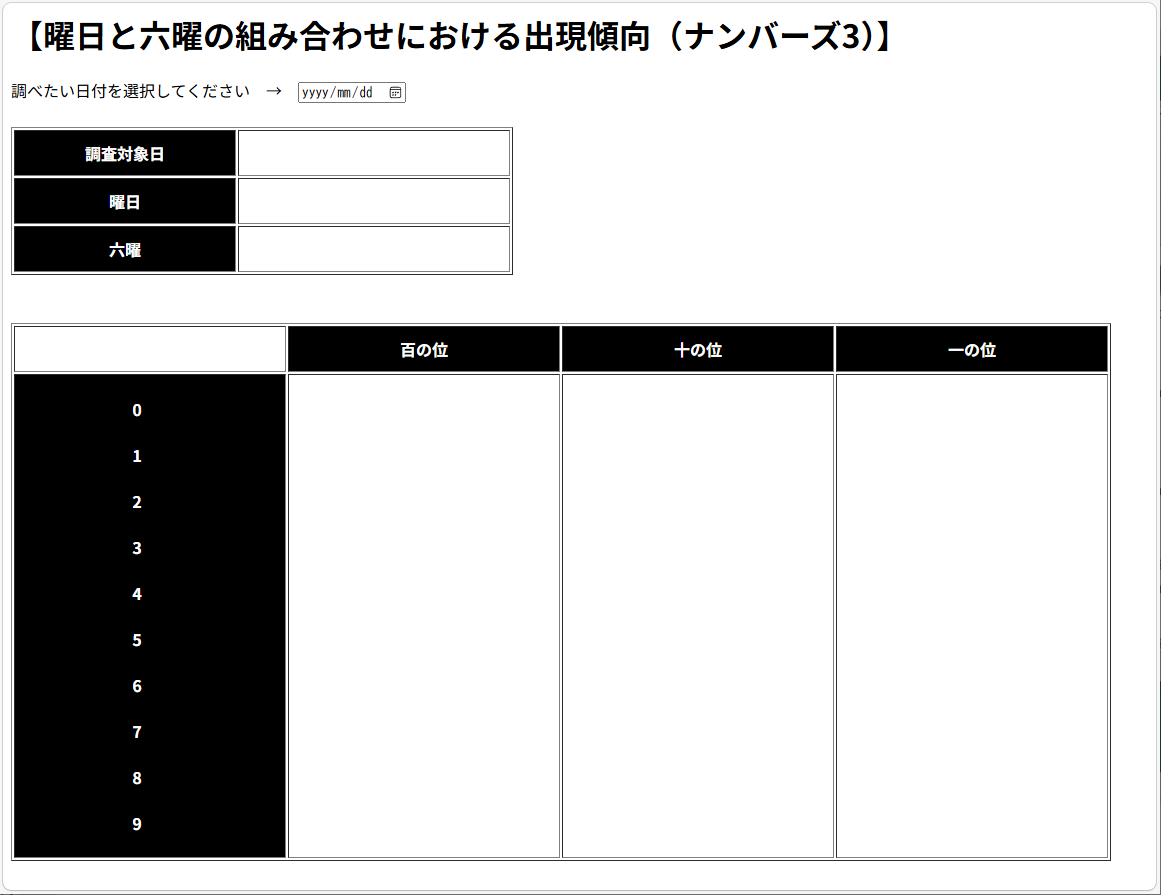
↓
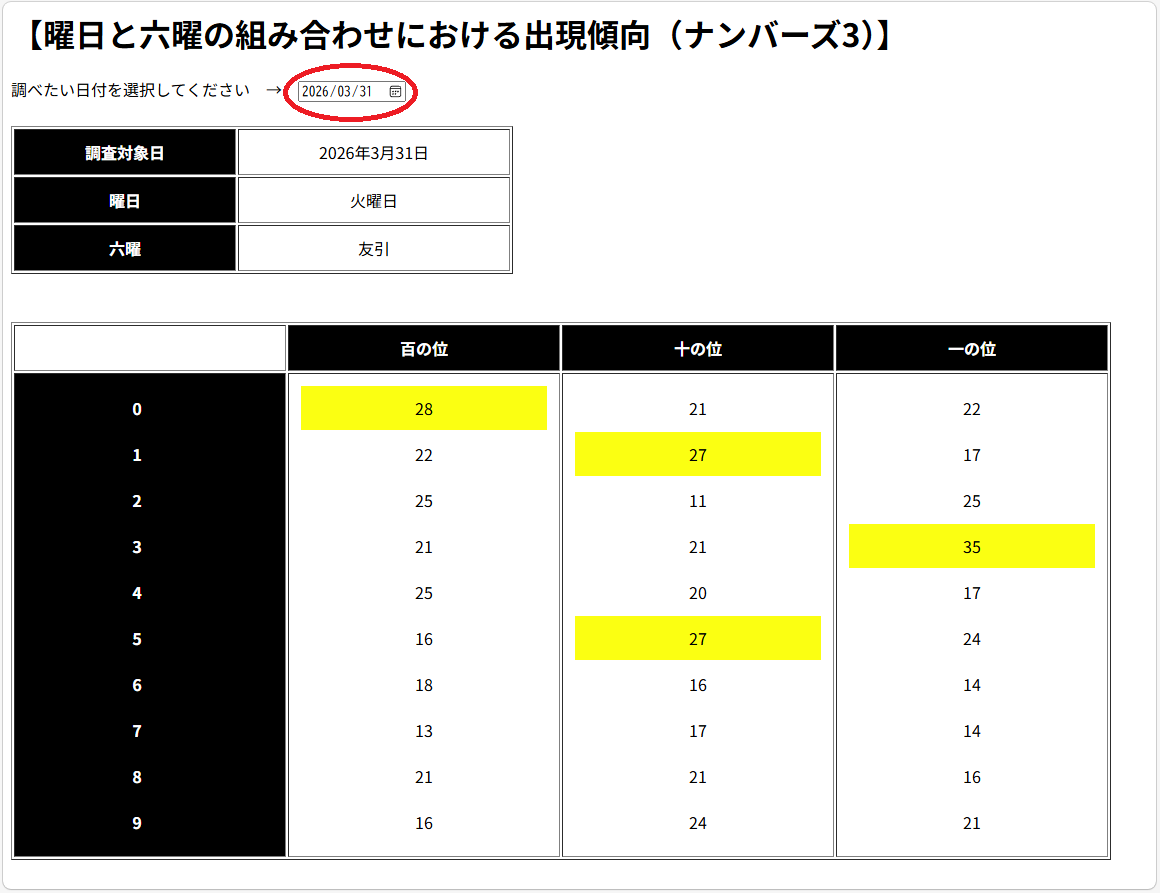
B美
(リンクをクリックすると別ウィンドウで開きます)
| WebAPI | サンプルページへのリンク | |
|---|---|---|
| ナンバーズ3 | get3_week_ymd/Y-m-d | 「曜日」ごと |
| get3_rokuyo_ymd/Y-m-d | 「六曜」ごと | |
| get3_six_seven_ymd/Y-m-d | 「曜日」と「六曜」の組み合わせ | |
| ナンバーズ4 | get4_week_ymd/Y-m-d | 「曜日」ごと |
| get4_rokuyo_ymd/Y-m-d | 「六曜」ごと | |
| get4_six_seven_ymd/Y-m-d | 「曜日」と「六曜」の組み合わせ |
ちなみに、残り五つのHTMLソースについては、ブラウザの「ページのソース表示」機能を使って見てみてね
A子
C菜
B美
(めっちゃ面倒なのよ(苦笑))